
Field Note / a-47
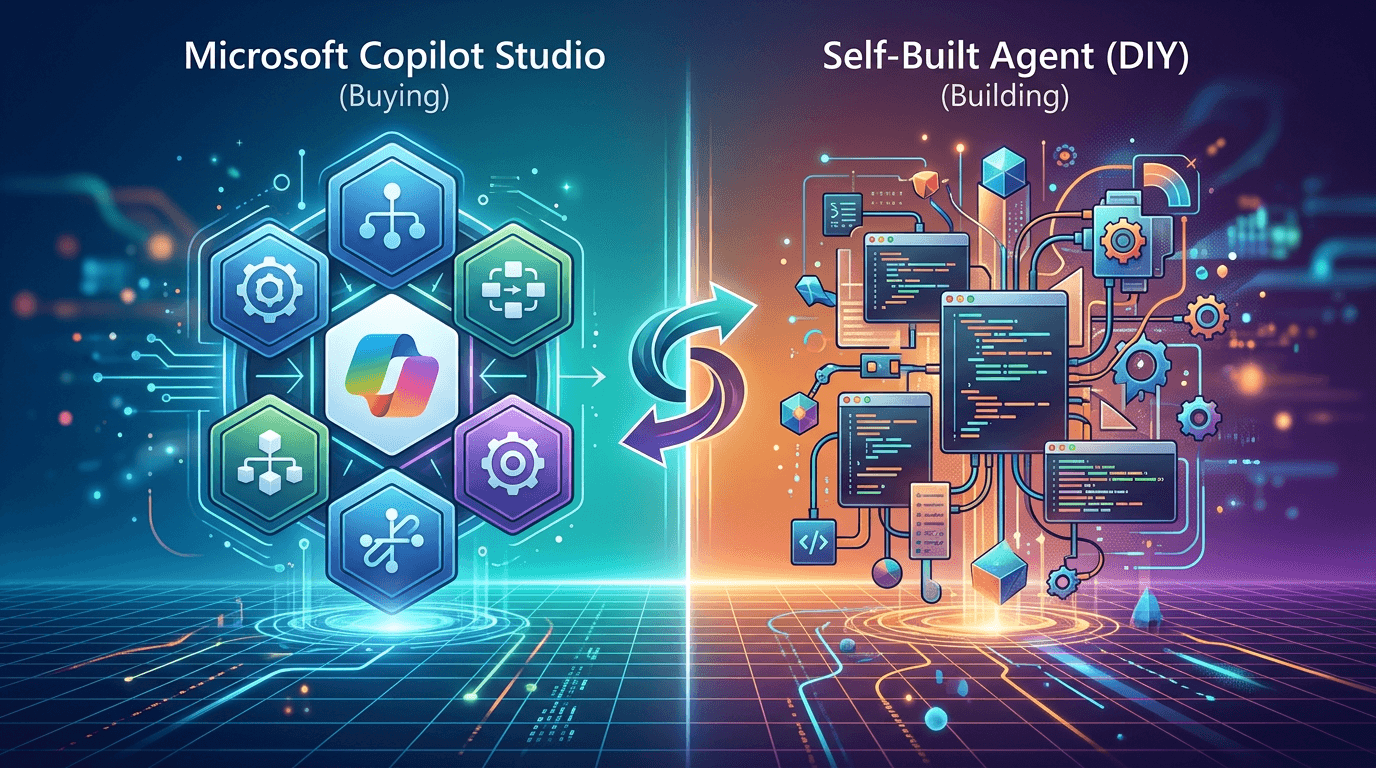
Microsoft Copilot Studio vs Building Your Own Agent — Buy or Build?
This is one of the most frequent questions I get asked: when a company wants to adopt Agents, should it buy a...
Microsoft Copilot Studio vs Building Your Own Agent — Buy or Build?
This is one of the most frequent questions I get asked: when a company wants to adopt Agents, should it buy a ready-made platform or build a custom system from scratch?
Over the past six months, I've gone deep on both paths — using Copilot Studio to build conversational Agents for clients, and using LangGraph and AutoGen (now called Microsoft Agent Framework) for custom orchestration. The difference between the two isn't about "which one is better." They're fundamentally different delivery models, suited for different teams, budgets, and timelines.
This article has one purpose: to give you a practical decision framework. No sales pitch — just the real pitfalls I've encountered firsthand.
Microsoft Copilot Studio — Deep Dive
Core Strengths
1. Native Microsoft ecosystem integration — fastest time to deploy in its category
Copilot Studio is natively connected to Microsoft 365, SharePoint, Teams, and Power Automate. If your company already runs on Microsoft 365, setting up a basic Q&A Agent for HR or IT support can go live in a single day — select data sources, configure trigger phrases, publish to Teams, all without writing code.
I built a procurement FAQ bot for a large manufacturing client, powered by policy documents stored in SharePoint. The entire configuration cycle was 3 days, including testing and internal approvals. Their IT team had previously estimated 3 months for an in-house build.
2. Governance and compliance infrastructure comes out of the box
This is Copilot Studio's most underrated advantage. It natively supports Microsoft Purview audit logs, Sentinel security integration, tenant-level inventory management through the Power Platform Admin Center, and Customer-Managed Keys for encryption.
For industries with strict compliance requirements — finance, healthcare, government — these capabilities would typically require a dedicated security engineer spending months to build to the same standard. Copilot Studio makes them default configurations.
3. Autonomous Agents support low-code, multi-step task workflows
Since 2025, Copilot Studio has steadily expanded its Autonomous Agent capabilities, supporting "plan-execute-escalate" multi-step task chains. It's not just conversational Q&A — it can trigger Power Automate workflows, call external APIs, and manage ticket statuses. For teams looking to quickly validate the feasibility of Agent automation, this is a much lower entry point than building a custom framework.
Notable Weaknesses
1. The ceiling of low-code is your ceiling
Copilot Studio is too complex for non-technical users and too restrictive for developers. Once you need complex conditional branching, dynamic memory management, or multi-Agent orchestration, the platform's visual configuration interface quickly becomes an obstacle rather than an enabler. One enterprise architect using Copilot Studio put it accurately: "It works for 70% of scenarios. The other 30% make you question why you chose it in the first place."
2. Misconfigured permissions can create data leakage risks
In late 2024, security researchers discovered CVE-2024-38206, a vulnerability that allowed attackers to trigger external HTTP requests through Copilot Studio, leaking internal service information. A more pervasive risk is overly permissive access — if the Agent has access to SharePoint documents containing sensitive information, any user could potentially extract data they shouldn't have through natural language queries. This isn't a platform-specific problem, but permission visibility in low-code environments tends to be limited, making it easy to overlook.
3. The billing model is unintuitive, making costs hard to predict at scale
Copilot Studio uses "Copilot Credits" — each Pack costs $200/month for 25,000 credits. Different operations consume vastly different amounts of credits: complex multi-step Agent tasks might burn hundreds of credits per run, while simple conversations use single digits. Until you're actually running workloads, it's nearly impossible to estimate your monthly bill. Gartner analysts have corroborated this: over 60% of Copilot Studio users say license management and cost forecasting are their biggest challenges.
Pricing
| Plan | Price | Notes |
|---|---|---|
| Copilot Credits Pack | $200/mo/Pack | 25,000 credits per Pack, billed monthly |
| Copilot Credit Commit | Up to 20% savings | Pre-committed usage, best for predictable workloads |
| M365 Copilot Built-in | Included with M365 Copilot seat | Unlimited usage for internal Agents (internal scenarios only) |
| Pay-as-you-go | Billed by actual consumption | Best for irregular usage patterns |
Building Your Own Agent (LangChain / LangGraph / Microsoft Agent Framework) — Deep Dive
Core Strengths
1. No platform boundaries — full control over complex orchestration logic
The biggest advantage of building your own is control. You decide every layer of the logic: how the Agent decomposes tasks, how memory is stored and retrieved, how sub-Agents coordinate, and how failures trigger retries. LangGraph uses directed graphs to describe Agent workflows, while AutoGen (now merged into Microsoft Agent Framework) supports multi-Agent conversational collaboration. These frameworks handle complex scenarios that Copilot Studio simply cannot.
A concrete example: I built a contract review Agent for a legal tech team that needed to simultaneously invoke OCR tools, a clause extraction model, an internal rules database, and an external case law database — with an auditable decision log at every step. This kind of multi-layered, highly customized orchestration is only practically achievable with a custom-built framework.
2. High model flexibility — no single-vendor lock-in
With a custom architecture, you can select the optimal model for each task type: GPT-4o for complex reasoning, Gemini Flash for high-frequency, low-complexity tasks, and locally deployed open-source models for sensitive data. Copilot Studio primarily binds to Azure OpenAI, offering relatively limited model choices.
As inference costs continue to decline in 2026, this flexibility has an increasingly significant impact on cost control — choosing the right model for the right task can reduce API costs by 50–80% for equivalent workloads.
3. Long-term TCO (Total Cost of Ownership) is lower in high-volume scenarios
The upfront cost of building is high, but the marginal cost is low. Once the team has the foundational framework in place, adding new Agents or extending existing ones costs mainly API fees — not per-seat licenses or credit packs. The higher the volume and the more use cases you have, the more obvious the cost advantage over SaaS platforms becomes.
Notable Weaknesses
1. High startup costs and serious skill requirements
Building a production-grade Agent system from scratch costs between $75,000 and $500,000, with timelines typically ranging from 3 to 12 months. This figure includes framework selection, infrastructure setup, security hardening, and monitoring — not just writing the Agent logic itself. For companies without ML engineers or a Python backend team, this barrier is very real.
2. Production operations costs are severely underestimated
The lesson most teams learn the hard way: an Agent prototype takes 2 weeks to build, but making it stable enough for production takes another 2 months. Monitoring, alerting, rollback mechanisms, prompt version management, model switching compatibility — this engineering work often accounts for over 60% of actual labor hours, and it's rarely budgeted adequately in initial estimates.
3. AutoGen has entered maintenance mode — framework selection carries long-term risk
Microsoft has announced that AutoGen will no longer receive new features, with active development shifting to Microsoft Agent Framework (a merger of AutoGen + Semantic Kernel), targeting 1.0 GA in Q1 2026. Existing AutoGen codebases require migration assessment, and new projects need to reevaluate framework choices. LangGraph is currently the most mature framework in the code-first space.
Cost Reference
| Phase | Budget Range | Notes |
|---|---|---|
| Initial Development | $75,000 – $500,000 | From zero to production-ready |
| Monthly Operations (API + Infrastructure) | $500 – $5,000+ | Depends on call volume and model selection |
| Engineering Maintenance | 0.5 – 2 full-time engineers | Ongoing iteration and upkeep |
Cross-Platform Comparison
| Dimension | Copilot Studio | Custom-Built Agent |
|---|---|---|
| Time to Launch | 1 day – 2 weeks | 3 – 12 months |
| Startup Cost | From $200/mo (credit-based) | $75,000 – $500,000 |
| Long-term Monthly Cost (high volume) | $2,000 – $20,000+/mo | $500 – $5,000/mo (API costs) |
| Customization Depth | Medium (low-code ceiling) | High (full control) |
| Multi-Model Support | Weak (primarily Azure OpenAI) | Strong (any model) |
| Compliance/Security | Strong (out of the box) | Self-built |
| Maintenance Barrier | Low (platform-managed) | High (requires engineering team) |
| Best For | Microsoft ecosystem, low-to-medium complexity, rapid deployment | High-complexity orchestration, high volume, core business differentiation |
| Biggest Risk | Platform lock-in, credit cost overruns | High upfront investment, underestimated operations |
My Recommendations — By Scenario
The key variable isn't "which is better" — it's whether your Agent is a core competitive advantage.
Choose Copilot Studio if:
- Your company is deeply embedded in the Microsoft 365 ecosystem (Teams, SharePoint, Power Automate), and switching costs are prohibitive
- You need to deliver a demo-ready Agent to the business team within 3 months, with limited budget and insufficient engineering resources
- Your use case is standard internal Q&A, process automation, or IT support that doesn't require highly customized business logic
- You face significant compliance pressure and don't want to build your own security infrastructure
For these scenarios, Copilot Studio gives you a viable starting point. Monitoring credit consumption to prevent cost overruns is typically the main operational concern.
Choose custom-built if:
- The Agent is customer-facing and central to your product differentiation (AI features in a SaaS product, AI-native tools)
- You need to integrate with more than 5 heterogeneous systems, involving complex conditional branching, dynamic memory, and multi-Agent coordination
- Your team has at least one engineer proficient in Python and LLM frameworks, with long-term maintenance resources secured
- Expected monthly Agent invocations exceed 100,000, making the long-term economics of self-building more favorable
Choose a hybrid approach if:
- You use Copilot Studio short-term to quickly validate business feasibility and gather real user feedback
- Once a specific scenario proves to have scalable value, you migrate it to a custom framework as needed
- This is the most ROI-stable path I've seen — it avoids betting $100,000+ in development costs on an unvalidated direction
Conclusion
Copilot Studio sells speed and peace of mind. Building your own Agent sells control and long-term flexibility. The boundary between the two is clearer than you might think.
The two most common mistakes go in opposite directions: underestimating the maintenance costs of building your own, thinking you're done once the code is written; or using Copilot Studio for a scenario that requires deep customization, only to hit a dead end and realize you need to start over.
If you're still unsure, ask yourself one question: Will this Agent be the most important feature in your product a year from now, or is it an internal efficiency tool? If the former, build custom. If the latter, Copilot Studio. That line is almost always right.
What bottlenecks are you facing in your Agent selection process right now — budget, engineering capacity, or uncertainty about ROI?
Sources: Microsoft Copilot Studio official pricing page (March 2026), Gartner Peer Insights 2026 user ratings report, IDC FutureScape AI Agent report, nocodefinder.com AI Agent cost guide, Microsoft Agent Framework official announcements.