
Field Note / c-12
How to Connect Your AI Agent to Company Data — A Step-by-Step Guide
I've built the data integration layer for AI agents at three different companies, and I've noticed a pattern: 90% of...
How to Connect Your AI Agent to Company Data — A Step-by-Step Guide
Introduction
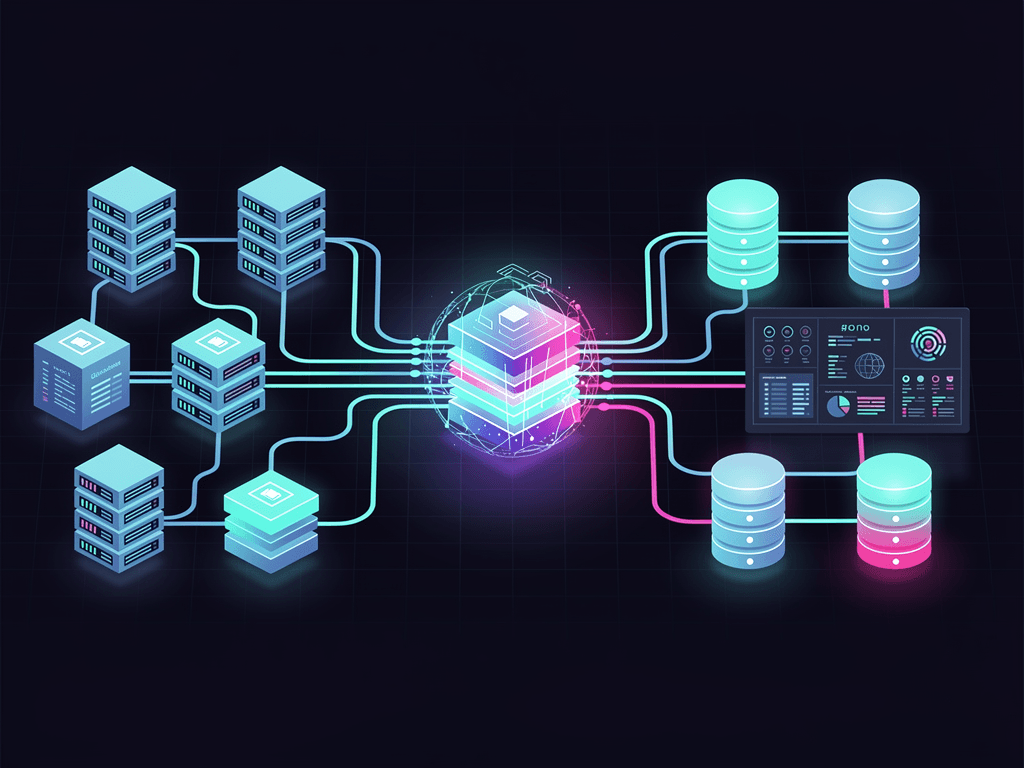
I've built the data integration layer for AI agents at three different companies, and I've noticed a pattern: 90% of agent projects stall not because the model isn't good enough, but because the data won't connect. Your agent's capability ceiling isn't the LLM's capability ceiling — it's the quality and breadth of the data it can access. This article breaks down all four integration approaches — direct database connections, API integration, file system crawling, and RAG knowledge bases — so you can see exactly how each one works.
The Problem
A typical enterprise AI agent needs access to these data sources:
- Structured data: Customer tables, order tables, product tables in PostgreSQL / MySQL
- Semi-structured data: Notion documents, Confluence pages, Google Docs
- Unstructured data: PDF contracts, Slack chat logs, email attachments
- Real-time data: Inventory levels, pricing data, user behavior from live APIs
Most tutorials only cover RAG (chunk documents -> vectorize -> retrieve), but in production, RAG is just one of four data integration approaches. Blindly shoving everything into RAG degrades retrieval quality and sends costs through the roof.
Core Architecture
Design Principles
- Match the approach to the data type: Use SQL queries for structured data — don't force it into RAG
- Least privilege: The agent should only access the data it needs, via read-only accounts with row-level permissions
- Cache first: Cache frequently queried data locally to reduce latency and cost
Four Integration Approaches
                    +------------------+
                    |    AI Agent      |
                    |   (Claude API)   |
                    +--------+---------+
                             |
        +--------------------+--------------------+
        |                    |                    |
   +----v-----+      +------v-------+     +------v-------+
   | SQL Query |      | API Integration|     | RAG Retrieval|
   |(Structured)|      | (Real-time)  |     |(Unstructured)|
   +----+-----+      +------+-------+     +------+-------+
        |                    |                    |
   +----v-----+      +------v-------+     +------v-------+
   |PostgreSQL |      | External APIs|     | Vector DB    |
   |  MySQL    |      | (Stripe etc.)|     | (Qdrant)     |
   +----------+      +--------------+     +--------------+
Implementation Details
Approach 1: Direct SQL Connection (Structured Data)
This is the most straightforward approach, and also the easiest to get wrong. The core challenge: how to get an LLM to generate SQL queries that are both safe and correct.
import anthropic
import psycopg2
from typing import Any

# Database connection (using a read-only account)
def get_db_connection():
    return psycopg2.connect(
        host="localhost",
        database="company_db",
        user="agent_readonly",  # Read-only permissions
        password="****"
    )

# Get database schema info (provide context to the agent)
def get_schema_context() -> str:
    conn = get_db_connection()
    cursor = conn.cursor()
    cursor.execute("""
        SELECT table_name, column_name, data_type
        FROM information_schema.columns
        WHERE table_schema = 'public'
        ORDER BY table_name, ordinal_position
    """)
    schema = cursor.fetchall()
    conn.close()

    # Format into agent-readable text
    schema_text = "Database table structure:\n"
    current_table = ""
    for table, column, dtype in schema:
        if table != current_table:
            schema_text += f"\nTable: {table}\n"
            current_table = table
        schema_text += f"  - {column} ({dtype})\n"

    return schema_text

# Agent generates SQL and executes it
def query_with_agent(question: str) -> dict[str, Any]:
    client = anthropic.Anthropic()
    schema = get_schema_context()

    # Step 1: Have the agent generate SQL
    response = client.messages.create(
        model="claude-sonnet-4-5-20250514",
        max_tokens=1024,
        system=f"""You are a SQL generator.
Generate a PostgreSQL query based on the user's question and the database schema.
Output only the SQL statement, no explanations.
You may only generate SELECT statements — INSERT/UPDATE/DELETE are forbidden.

{schema}""",
        messages=[{"role": "user", "content": question}]
    )

    sql = response.content[0].text.strip()

    # Safety check: only allow SELECT
    if not sql.upper().startswith("SELECT"):
        raise ValueError(f"Illegal SQL operation: {sql[:50]}")

    # Execute the query
    conn = get_db_connection()
    cursor = conn.cursor()
    cursor.execute(sql)
    results = cursor.fetchall()
    columns = [desc[0] for desc in cursor.description]
    conn.close()

    return {"sql": sql, "columns": columns, "rows": results}
Critical security measures:
- The database account only has SELECT permissions
- An additional SQL keyword whitelist check at the code level
- Query timeout configured (to prevent slow full-table scans from generated queries)
- Row limit enforced (
LIMIT 100)
Approach 2: API Integration (Real-Time Data)
The core of API integration is Tool Use. The Claude API natively supports tool calling — you define your tools' schemas, and the model decides when to invoke them:
import anthropic
import httpx

client = anthropic.Anthropic()

# Define the tools available to the agent
tools = [
    {
        "name": "get_customer_info",
        "description": "Retrieve detailed customer information from the CRM",
        "input_schema": {
            "type": "object",
            "properties": {
                "customer_id": {
                    "type": "string",
                    "description": "Customer ID"
                }
            },
            "required": ["customer_id"]
        }
    },
    {
        "name": "get_order_status",
        "description": "Check order status",
        "input_schema": {
            "type": "object",
            "properties": {
                "order_id": {
                    "type": "string",
                    "description": "Order number"
                }
            },
            "required": ["order_id"]
        }
    }
]

# Tool execution functions
def execute_tool(name: str, params: dict) -> str:
    if name == "get_customer_info":
        resp = httpx.get(
            f"https://api.crm.com/v1/customers/{params['customer_id']}",
            headers={"Authorization": f"Bearer {CRM_API_KEY}"}
        )
        return resp.text
    elif name == "get_order_status":
        resp = httpx.get(
            f"https://api.orders.com/v1/orders/{params['order_id']}",
            headers={"Authorization": f"Bearer {ORDER_API_KEY}"}
        )
        return resp.text

# Agent conversation loop (with tool use)
def agent_chat(user_message: str):
    messages = [{"role": "user", "content": user_message}]

    while True:
        response = client.messages.create(
            model="claude-sonnet-4-5-20250514",
            max_tokens=4096,
            tools=tools,
            messages=messages
        )

        # If the model decides to call a tool
        if response.stop_reason == "tool_use":
            tool_block = next(
                b for b in response.content if b.type == "tool_use"
            )
            result = execute_tool(tool_block.name, tool_block.input)

            # Feed the tool result back to the model
            messages.append({"role": "assistant", "content": response.content})
            messages.append({
                "role": "user",
                "content": [{
                    "type": "tool_result",
                    "tool_use_id": tool_block.id,
                    "content": result
                }]
            })
        else:
            # Model responds directly — return the result
            return response.content[0].text
Approach 3: RAG Knowledge Base (Unstructured Data)
RAG is the right tool for PDFs, documents, and knowledge bases — unstructured data in general. Best practices in 2026 look quite different from two years ago, with the key improvements being in chunking strategy and hybrid retrieval.
from qdrant_client import QdrantClient
from qdrant_client.models import Distance, VectorParams, PointStruct
import anthropic
import hashlib

# Initialize Qdrant vector database
qdrant = QdrantClient(url="http://localhost:6333")
claude = anthropic.Anthropic()

# Create a collection
qdrant.create_collection(
    collection_name="company_docs",
    vectors_config=VectorParams(
        size=1024,      # Embedding dimensions
        distance=Distance.COSINE
    )
)

# Document chunking (semantic chunking, not fixed-length)
def semantic_chunk(text: str, max_tokens: int = 400) -> list[str]:
    """Chunk by paragraph and semantic boundaries, not fixed character count"""
    paragraphs = text.split("\n\n")
    chunks = []
    current_chunk = ""

    for para in paragraphs:
        # Estimate token count (~1.5 chars/token for Chinese, ~4 chars/token for English)
        estimated_tokens = len(current_chunk) / 1.5
        if estimated_tokens + len(para) / 1.5 > max_tokens:
            if current_chunk:
                chunks.append(current_chunk.strip())
            current_chunk = para
        else:
            current_chunk += "\n\n" + para

    if current_chunk:
        chunks.append(current_chunk.strip())

    return chunks

# Generate embeddings (using Voyage AI or OpenAI)
def get_embedding(text: str) -> list[float]:
    """Call the embedding API to get a vector"""
    import httpx
    resp = httpx.post(
        "https://api.voyageai.com/v1/embeddings",
        headers={"Authorization": f"Bearer {VOYAGE_API_KEY}"},
        json={
            "model": "voyage-3-large",
            "input": [text],
            "input_type": "document"
        }
    )
    return resp.json()["data"][0]["embedding"]

# Index a document
def index_document(doc_path: str, doc_text: str):
    chunks = semantic_chunk(doc_text)
    points = []

    for i, chunk in enumerate(chunks):
        embedding = get_embedding(chunk)
        point_id = hashlib.md5(f"{doc_path}:{i}".encode()).hexdigest()
        points.append(PointStruct(
            id=point_id,
            vector=embedding,
            payload={
                "text": chunk,
                "source": doc_path,
                "chunk_index": i
            }
        ))

    qdrant.upsert(collection_name="company_docs", points=points)

# RAG retrieval + generation
def rag_query(question: str) -> str:
    # Retrieve relevant documents
    query_embedding = get_embedding(question)
    results = qdrant.search(
        collection_name="company_docs",
        query_vector=query_embedding,
        limit=5  # Return top 5
    )

    # Assemble context
    context = "\n\n---\n\n".join([
        f"Source: {r.payload['source']}\n{r.payload['text']}"
        for r in results
    ])

    # Call Claude to generate the answer
    response = claude.messages.create(
        model="claude-sonnet-4-5-20250514",
        max_tokens=2048,
        system="""Answer questions based on the provided document content.
If the documents do not contain relevant information, explicitly state "No relevant information found in the documents."
Cite specific sources in your answer.""",
        messages=[{
            "role": "user",
            "content": f"Document content:\n{context}\n\nQuestion: {question}"
        }]
    )

    return response.content[0].text
2026 RAG Best Practices:
- Chunk size: 300-500 tokens is the sweet spot. Too small and you lose context; too large and you introduce noise
- Embedding model selection: Voyage AI's voyage-3-large performs excellently in mixed Chinese-English scenarios, with 1024 dimensions
- Hybrid retrieval: Combining keyword search (BM25) with vector search improves recall by roughly 15%
- Rebuild indexes regularly: After source documents are updated, you must re-chunk and re-embed — otherwise retrieval quality degrades over time
Approach 4: File System Crawling
For local files (product manuals as PDFs, contract documents), you can use LlamaIndex or build your own crawler:
from pathlib import Path

# Supported file formats
SUPPORTED_EXTENSIONS = {".pdf", ".md", ".txt", ".docx", ".csv"}

def crawl_directory(root_dir: str) -> list[dict]:
    """Recursively crawl all supported files in a directory"""
    documents = []
    root = Path(root_dir)

    for file_path in root.rglob("*"):
        if file_path.suffix.lower() in SUPPORTED_EXTENSIONS:
            text = extract_text(file_path)  # Call the appropriate parser by format
            documents.append({
                "path": str(file_path),
                "text": text,
                "modified": file_path.stat().st_mtime
            })

    return documents
Real-World Results
Production Data
On a customer service agent project for an e-commerce company, I used SQL direct connection + API integration + RAG simultaneously:
| Data Source | Approach | Query Latency | Monthly Cost |
|---|---|---|---|
| Order database | SQL direct connection | 120ms | $0 (own infrastructure) |
| Logistics API | Tool Use | 350ms | $50 (API call fees) |
| Product documentation | RAG (Qdrant) | 280ms | $30 (embedding + storage) |
| Customer service scripts | RAG (Qdrant) | 250ms | Included above |
Total RAG knowledge base: 1,200 documents, 42,000 chunks, vector dimension 1024.
Pitfalls I Hit
Pitfall 1: Don't run structured data through RAG. I initially embedded order data into the vector store. For precise queries like "User A's last 5 orders," RAG's recall was under 60%. Switching to a direct SQL connection brought accuracy to 100%.
Pitfall 2: Choose your embedding model and LLM separately. Don't assume that because you're using Claude for generation, you should also use Claude for embeddings. Dedicated embedding models (like Voyage AI) significantly outperform general-purpose LLMs on retrieval tasks.
Pitfall 3: Forgetting to rebuild the index after document updates. Product prices got updated, but the vector store still had the old data. The agent answered customers with outdated prices, causing complaints. The fix: set up a cron job to re-crawl and re-index every night.
Takeaways
Three core takeaways:
-
Match your integration approach to your data type — use SQL for structured data, API Tool Use for real-time data, and RAG for unstructured documents. Don't shove everything into RAG.
-
Security first — read-only database accounts, least-privilege API access, sanitized query results. The scope of operations an agent can perform determines the blast radius when things go wrong.
-
RAG is not a silver bullet — it solves the problem of "finding relevant information in a large corpus of documents," but for precise queries, real-time data, and aggregate calculations, SQL and APIs are the better fit.
If you're connecting data to an agent, start with the simplest single data source — say, hooking up one API via Tool Use — validate the end-to-end flow, then expand to multiple data sources.
What data integration challenges have you run into with your agent projects? Let's discuss.