
Field Note / c-03
How I Designed an 8-Agent Community Management System
The Solo Unicorn Club now has over 2,000 members spanning finance, tech, design, law, and more. Managing a community...
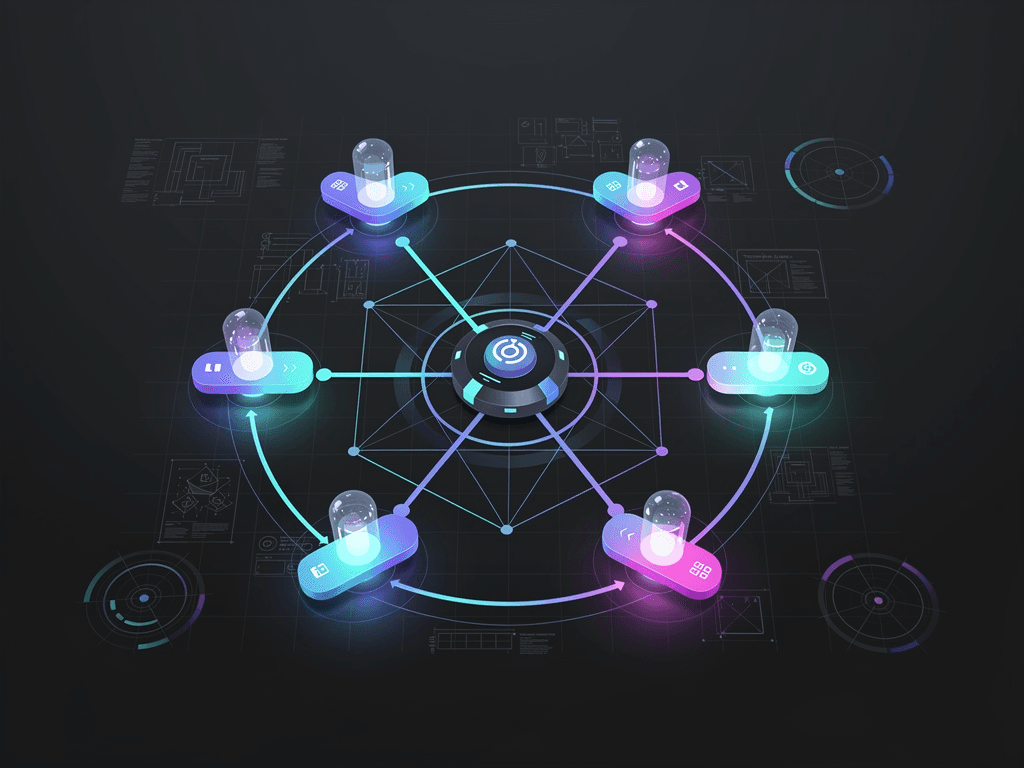
How I Designed an 8-Agent Community Management System
Opening
The Solo Unicorn Club now has over 2,000 members spanning finance, tech, design, law, and more. Managing a community this large by yourself is simply not humanly possible. I spent three weeks building an 8-Agent system that now automatically processes 200+ messages daily, with monthly API costs under $45. This article is a full breakdown of the design thinking, architectural details, and pitfalls I encountered along the way.
The Problem
The pain points of community management are very specific:
- Message volume: 200-400 messages per day, ranging from technical questions to event signups to casual chat
- Response time expectations: Members expect replies within minutes, not hours
- Scattered knowledge: Historical discussions, event info, and resource links are scattered everywhere
- Repetitive work: Over 60% of questions are repeats, yet each one requires a manual response
I tried several approaches:
- Pure manual: Spending 3-4 hours per day answering messages. Unsustainable
- Keyword bot: Too dumb, poor matching accuracy, bad member experience
- Single AI Agent: Prompt stuffed with 8,000 tokens, capable of everything but good at nothing
I ultimately went with a Multi-Agent architecture for one core reason: community management subtasks are wildly different from each other — onboarding, Q&A, content recommendations, event management — each requires a completely different context and behavioral pattern.
Core Architecture
Design Principles
Three principles, set in stone before building:
- Router-first: All messages go through the Router Agent first. It only classifies — never replies — to ensure accurate routing
- Specialists over generalists: Each Worker Agent does one thing only, with prompts trimmed to under 800 tokens
- Human escalation: Any question where the Agent is uncertain (confidence < 0.7) automatically escalates to me
System Architecture Diagram
User Message → Router Agent (classification)
                │
    ┌───────────┼───────────────────────┐
    │           │           │           │
    ▼           ▼           ▼           ▼
 Greeter    Q&A Agent   Content     Event
 Agent      (Q&A)       Curator    Scheduler
 (Welcome)              (Content)  (Events)
    │           │           │           │
    │     ┌─────┼─────┐     │           │
    │     ▼           ▼     │           │
    │  Knowledge    Search  │           │
    │  Base Agent   Agent   │           │
    │  (KB)        (Search) │           │
    │                       │           │
    └───────────┬───────────┘           │
                ▼                       │
          Digest Agent ←────────────────┘
          (Daily Digest)
The 8 Agents and Their Roles
| Agent | Responsibility | Model | Avg Latency | Daily Calls |
|---|---|---|---|---|
| Router | Message classification and routing | GPT-4.1-mini | 0.4s | 220 |
| Greeter | New member welcome and onboarding | GPT-4.1-mini | 0.8s | 8 |
| Q&A Agent | Answering community questions | Claude Sonnet 4.5 | 2.1s | 85 |
| Content Curator | Recommending relevant content and resources | GPT-4.1 | 1.5s | 35 |
| Event Scheduler | Event creation and registration management | GPT-4.1-mini | 0.6s | 15 |
| Knowledge Base | Retrieving info from historical discussions | text-embedding-3-small | 0.3s | 85 |
| Search Agent | Searching external information | GPT-4.1-mini | 1.8s | 25 |
| Digest Agent | Generating daily/weekly community digests | Claude Sonnet 4.5 | 4.2s | 1 |
Implementation Details
Step 1: Router Agent — The Most Critical Component
The Router's accuracy directly determines the entire system's performance. I use GPT-4.1-mini for classification because this task doesn't need strong reasoning — it needs speed and consistency.
from openai import OpenAI
from pydantic import BaseModel
from enum import Enum

client = OpenAI()

class MessageCategory(str, Enum):
    GREETING = "greeting"       # New member introduction
    QUESTION = "question"       # Asking a question
    CONTENT = "content"         # Content sharing/discussion
    EVENT = "event"             # Event-related
    CHITCHAT = "chitchat"       # Casual chat (no action)
    ESCALATE = "escalate"       # Needs human intervention

class RouterResult(BaseModel):
    category: MessageCategory
    confidence: float           # 0-1 confidence score
    sub_topic: str              # Subtopic for downstream Agents
    needs_context: bool         # Whether to pull message history

ROUTER_PROMPT = """You are a community message classifier. Classify each message.
Rules:
- greeting: New member introduction or saying hello
- question: Any kind of question (technical, tools, career, business)
- content: Sharing articles, tools, opinions
- event: Event registration, schedule inquiries, meetups
- chitchat: Casual chat, memes, no substantive content
- escalate: Complaints, disputes, sensitive topics, anything you're unsure about
When confidence is below 0.7, set category to escalate."""

def route_message(message: str, user_info: dict) -> RouterResult:
    """Message classification: fast, accurate, low-cost"""
    response = client.beta.chat.completions.parse(
        model="gpt-4.1-mini",
        messages=[
            {"role": "system", "content": ROUTER_PROMPT},
            {"role": "user", "content": f"User info: {user_info}\nMessage: {message}"}
        ],
        response_format=RouterResult,
        temperature=0.1,  # Low temperature for classification tasks
    )
    return response.choices[0].message.parsed
Lesson learned: The Router's prompt originally lacked an escalate category, causing ambiguous messages to get randomly routed to other categories. After adding escalate + a confidence threshold, routing accuracy jumped from 82% to 94%.
Step 2: Q&A Agent — The Workhorse
The Q&A Agent handles the highest volume and demands the highest quality. Its workflow: first check the Knowledge Base — if a historical answer exists, cite it directly; if not, call the Search Agent for external information.
async def qa_agent(question: str, context: dict) -> str:
    """Q&A Agent: check internal knowledge base first, then external sources"""

    # Step 1: Search internal knowledge base
    kb_results = await knowledge_base.search(
        query=question,
        top_k=3,
        min_score=0.78  # Similarity threshold
    )

    if kb_results and kb_results[0].score > 0.85:
        # High similarity: generate answer based on historical response
        source = "knowledge_base"
        reference = kb_results[0].content
    else:
        # Low similarity: search external information
        source = "web_search"
        reference = await search_agent.search(question)

    # Step 2: Generate answer
    response = await client.chat.completions.create(
        model="claude-sonnet-4-5",  # Use a strong model for answer quality
        messages=[
            {"role": "system", "content": QA_PROMPT},
            {"role": "user", "content": f"""Question: {question}
Reference material (source: {source}): {reference}
User background: {context.get('user_profile', 'Unknown')}"""}
        ],
        max_tokens=500,  # Community answers should be concise
    )
    answer = response.choices[0].message.content

    # Step 3: Write new answer to knowledge base (for future retrieval)
    await knowledge_base.upsert(
        content=f"Q: {question}\nA: {answer}",
        metadata={"source": source, "timestamp": datetime.now().isoformat()}
    )
    return answer
Step 3: Greeter Agent — The New Member Experience
GREETER_PROMPT = """You are the welcome assistant for the Solo Unicorn Club. Tone: warm but not cheesy, professional but not cold.
Tasks:
1. Welcome the new member
2. Based on their introduction, recommend 2-3 discussion topics they might find interesting
3. Share community guidelines (brief version)
4. Encourage them to write a short self-introduction

Keep it under 150 words. No emojis."""

async def greet_new_member(intro_message: str, member_name: str) -> str:
    """New member onboarding: personalized welcome + topic recommendations"""
    # Retrieve recent hot topics to recommend to the newcomer
    hot_topics = await get_recent_hot_topics(limit=5)

    response = await client.chat.completions.create(
        model="gpt-4.1-mini",
        messages=[
            {"role": "system", "content": GREETER_PROMPT},
            {"role": "user", "content": f"""New member: {member_name}
Self-introduction: {intro_message}
Recent hot topics: {hot_topics}"""}
        ],
        max_tokens=200,
    )
    return response.choices[0].message.content
Step 4: Knowledge Base — The Heart of RAG
The knowledge base uses Qdrant as a vector store, holding all historical Q&A and discussion content.
from qdrant_client import QdrantClient
from qdrant_client.models import Distance, VectorParams, PointStruct

class CommunityKnowledgeBase:
    def __init__(self):
        self.client = QdrantClient(url="http://localhost:6333")
        self.collection = "community_knowledge"
        self.embedding_model = "text-embedding-3-small"

    async def search(self, query: str, top_k: int = 3,
                     min_score: float = 0.75) -> list:
        """Semantic search: find the most relevant historical content"""
        # Generate query embedding
        query_vector = await self._embed(query)

        results = self.client.query_points(
            collection_name=self.collection,
            query=query_vector,
            limit=top_k,
            score_threshold=min_score,
        )
        return results.points

    async def upsert(self, content: str, metadata: dict):
        """Write new content to the knowledge base"""
        vector = await self._embed(content)
        point = PointStruct(
            id=str(uuid4()),
            vector=vector,
            payload={"content": content, **metadata}
        )
        self.client.upsert(
            collection_name=self.collection,
            points=[point]
        )
Key numbers: Embeddings use text-embedding-3-small ($0.02/1M tokens). Fully indexing ~15,000 pieces of historical content costs less than $0.30. Retrieval latency at p95 is ~45ms.
Step 5: Digest Agent — Automated Daily Summaries
Runs automatically every night, summarizing the day's discussion highlights.
async def generate_daily_digest(date: str) -> str:
    """Generate a daily community digest"""
    # Pull all non-chitchat messages from the day
    messages = await get_messages_by_date(date, exclude=["chitchat"])

    response = await client.chat.completions.create(
        model="claude-sonnet-4-5",  # Summarization needs strong synthesis ability
        messages=[
            {"role": "system", "content": """Generate a community daily digest. Format:
## Today's Highlights (Date)
### Hot Discussions (3-5 items)
### Useful Resources (with links)
### New Members (Welcome XX new friends)
### Upcoming Events
Keep it concise — no more than two sentences per item."""},
            {"role": "user", "content": f"Today's messages ({len(messages)} total):\n{format_messages(messages)}"}
        ],
        max_tokens=800,
    )
    return response.choices[0].message.content
Practical Lessons
Production Data (30-Day Average)
| Metric | Data |
|---|---|
| Daily messages processed | 215 |
| Router classification accuracy | 94.2% |
| Q&A satisfaction rate (member feedback) | 87% |
| Average response latency | 2.3 seconds |
| Human escalation rate | 8.5% |
| Monthly API cost (average) | $42.80 |
Cost Breakdown
| Agent | Model | Monthly Tokens | Monthly Cost |
|---|---|---|---|
| Router | GPT-4.1-mini | 1.2M | $0.72 |
| Greeter | GPT-4.1-mini | 180K | $0.11 |
| Q&A | Claude Sonnet 4.5 | 1.8M | $18.90 |
| Content Curator | GPT-4.1 | 650K | $2.60 |
| Event Scheduler | GPT-4.1-mini | 280K | $0.17 |
| Knowledge Base | embedding-3-small | 900K | $0.02 |
| Search Agent | GPT-4.1-mini | 480K | $0.29 |
| Digest Agent | Claude Sonnet 4.5 | 350K | $3.68 |
| Qdrant hosting | - | - | $16.31 |
| Total | $42.80 |
The Q&A Agent eats up 44% of API costs because it uses Claude Sonnet 4.5 and has the highest call volume. Switching to GPT-4.1 would cut costs by 40%, but answer quality drops noticeably — I've tested this.
Pitfalls I've Hit
Pitfall 1: Over-complicated Router prompt. The initial Router prompt was 2,000 tokens long — not just classifying, but also analyzing sentiment and extracting keywords. This made latency high and responses inconsistent. I trimmed it to 500 tokens, focusing purely on classification, and accuracy actually improved.
Pitfall 2: Knowledge Base cold start. During the system's first week, the knowledge base was nearly empty, so the Q&A Agent constantly had to call the Search Agent, driving up both latency and cost. Solution: before launch, I pre-loaded 500 FAQs covering 80% of common questions.
Pitfall 3: Digest Agent hallucinations. One daily digest included a discussion topic that never happened — the model "filled in" content on its own. Solution: I added explicit instructions in the prompt ("only summarize the messages provided; do not add any information not in the source material") and built a simple fact-check step that cross-validates generated summaries against source messages using keyword matching.
Pitfall 4: Evening peak concurrency. Between 8-10 PM, message volume was 3x the average, and API rate limits became a bottleneck. Solution: non-urgent tasks (content recommendations, daily digest) were moved to async processing; during peak hours, only the Router and Q&A Agent get real-time priority.
Takeaways
Three things to remember:
- The Router Agent is the lifeline of a Multi-Agent system — spending 50% of your debugging time on the Router is not overkill. Every percentage point improvement in routing accuracy lifts the effective output of every downstream Agent
- The Knowledge Base determines the system's long-term value — prepare seed data for cold start, then keep accumulating. Three months in, my knowledge base covers 90%+ of common questions, and Q&A Agent search calls have dropped by 60%
- Model tiering is the key to cost control — not every Agent needs the strongest model. Router and Greeter use mini models, Q&A and Digest use strong models. Overall cost drops 60% without impacting experience
If you're managing a community too, start with just two Agents: a Router + a Q&A Agent. Get those working, then add others. Want to see the exact prompts and configs? Come to the Solo Unicorn Club — I'm happy to share directly.