
Field Note / c-05
RAG vs Fine-tuning vs Prompt Engineering — A Decision Framework
I ran an A/B test: same customer service scenario, three approaches — pure Prompt Engineering, RAG, and Fine-tuning —...
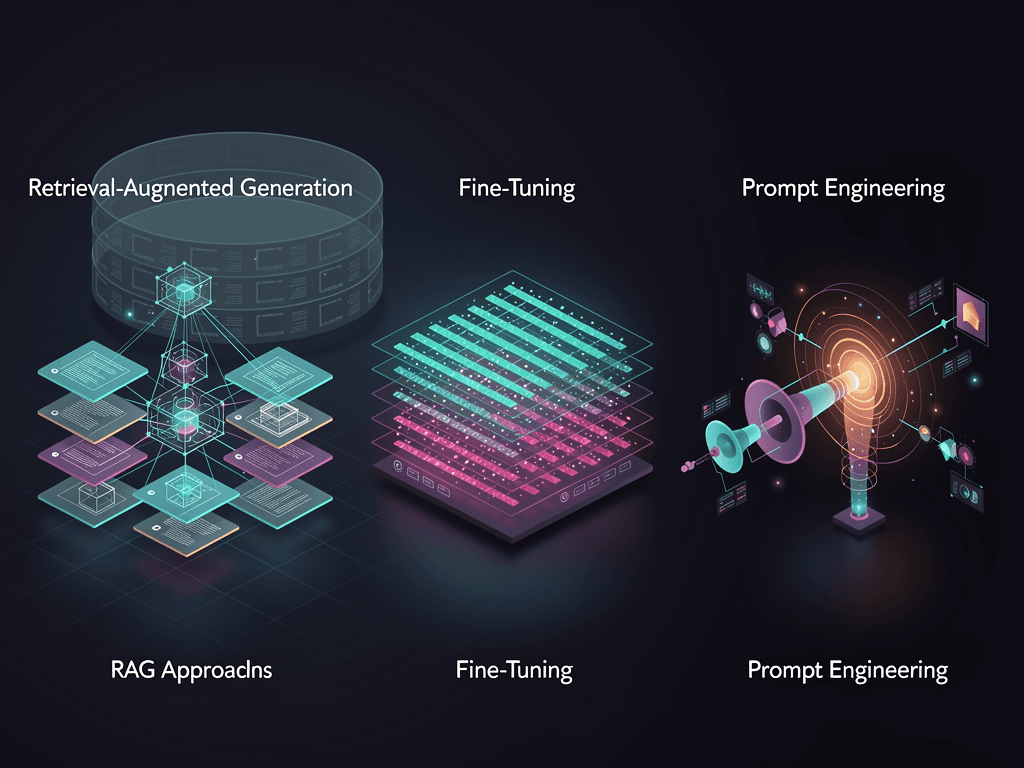
RAG vs Fine-tuning vs Prompt Engineering — A Decision Framework
Opening
I ran an A/B test: same customer service scenario, three approaches — pure Prompt Engineering, RAG, and Fine-tuning — each processing 1,000 real tickets over two weeks. The results — Prompt Engineering scored 82% customer satisfaction, RAG scored 89%, Fine-tuning scored 91%. But look at costs: Prompt Engineering cost $38, RAG cost $165, Fine-tuning cost $2,400 (including training). A 9-point satisfaction gap, a 63x cost gap. This isn't about which is better — it's about knowing when to use what.
The Problem
"I have proprietary data and want my LLM to use it — what should I do?" — this is the question I get asked most. Most people's first instinct is Fine-tuning or RAG, but in the majority of cases, a few few-shot examples in the prompt already solve 80% of the problem.
The fundamental difference between the three approaches:
- Prompt Engineering: Don't change the model, change the input. Use system prompts, few-shot examples, and instructions to guide model behavior
- RAG (Retrieval-Augmented Generation): Don't change the model, change the context. At runtime, retrieve relevant information from external data sources and inject it into the prompt
- Fine-tuning: Change the model itself. Train the model's weights on your data so it internalizes specific behavioral patterns
Core Framework: Two-Dimensional Decision Matrix
Plot your requirements on two axes:
X-axis: Knowledge type — what does the model need to know?
- Static knowledge (product manuals, company policies, FAQs) → can go in the prompt or be retrieved via RAG
- Dynamic knowledge (real-time pricing, inventory, news) → must use RAG, since model training data is outdated
Y-axis: Behavioral pattern — how should the model act?
- Generic behavior (summarizing, classifying, translating) → Prompt Engineering is enough
- Proprietary behavior (specific tone, specialized terminology, industry conventions) → may need Fine-tuning
            Generic Behavior            Proprietary Behavior
         ┌──────────────┬──────────────┐
  Static │  Prompt      │  Fine-tuning │
  Know-  │  Engineering │  or high-    │
  ledge  │  (cheapest)  │  quality     │
         │              │  Prompt      │
         ├──────────────┼──────────────┤
  Dynamic│  RAG         │  RAG +       │
  Know-  │  (must-have) │  Fine-tuning │
  ledge  │              │  (priciest   │
         │              │  but best)   │
         └──────────────┴──────────────┘
Approach 1: Prompt Engineering
When to use: Small knowledge volume (fits within an 8K token prompt), behavioral patterns can be described clearly through instructions.
from openai import OpenAI
client = OpenAI()

# Approach 1: Few-shot Prompt Engineering
# Encode both knowledge and behavioral patterns in the prompt
SYSTEM_PROMPT = """You are ArkTop AI's customer service agent. Follow these rules:

## Refund Policy
- Unconditional refund within 7 days
- Refunds between 7-30 days require review
- No refunds after 30 days
- Annual plans refunded pro-rata

## Response Style
- Concise and professional, no excessive pleasantries
- Give clear answers, never say "please wait"
- When amounts are involved, always be precise to the cent

## Examples
User: I bought it three days ago and want a refund
Response: Absolutely. We offer unconditional refunds within 7 days — I'll process this right now. The refund will arrive within 3 business days.

User: I've used my annual plan for two months and want a refund
Response: Annual plans are refunded pro-rata based on remaining months. You've used 2 months, so the refund amount is 10/12 of the annual fee. Shall I proceed?"""

def prompt_engineering_approach(user_message: str) -> str:
    response = client.chat.completions.create(
        model="gpt-4.1",
        messages=[
            {"role": "system", "content": SYSTEM_PROMPT},
            {"role": "user", "content": user_message},
        ],
        temperature=0.3,
    )
    return response.choices[0].message.content
Cost: Pure API call fees. System prompt is ~500 tokens; with GPT-4.1, per-request prompt cost is ~$0.001.
Pros: Zero infrastructure cost, fastest iteration cycle (just edit the prompt), can go live in 5 minutes Cons: Knowledge capacity limited by context window, instruction-following degrades when prompts exceed ~3,000 tokens
Approach 2: RAG
When to use: Large knowledge volume (hundreds to millions of documents), knowledge updates regularly, source attribution is needed.
from openai import OpenAI
from qdrant_client import QdrantClient

openai_client = OpenAI()
qdrant = QdrantClient(url="http://localhost:6333")

async def rag_approach(user_question: str) -> str:
    """RAG: retrieve relevant documents → feed to LLM for generation"""

    # Step 1: Convert user question to embedding
    embedding = openai_client.embeddings.create(
        model="text-embedding-3-small",  # $0.02/1M tokens
        input=user_question
    ).data[0].embedding

    # Step 2: Retrieve the most relevant documents from the vector store (top 5)
    results = qdrant.query_points(
        collection_name="product_docs",
        query=embedding,
        limit=5,
        score_threshold=0.75  # Similarity threshold — below this, don't return
    )

    # Step 3: Assemble context
    context_docs = "\n---\n".join([
        f"[Source: {r.payload['source']}]\n{r.payload['content']}"
        for r in results.points
    ])

    # Step 4: Generate answer with context
    response = openai_client.chat.completions.create(
        model="gpt-4.1",
        messages=[
            {"role": "system", "content": """Answer questions based on the reference documents provided.
Rules:
1. Only answer based on document content — do not fabricate
2. If the documents don't contain the answer, say so clearly
3. Cite source documents"""},
            {"role": "user", "content": f"Reference documents:\n{context_docs}\n\nQuestion: {user_question}"}
        ],
        temperature=0.2,  # Low temperature for RAG to reduce hallucination
    )
    return response.choices[0].message.content
Cost breakdown (monthly average, 10,000 queries):
| Component | Monthly Cost |
|---|---|
| Embedding generation | $2.00 |
| Vector DB (Qdrant Cloud) | $45.00 |
| LLM generation (GPT-4.1) | $120.00 |
| Document processing and updates | $15.00 |
| Total | $182.00 |
Pros: Near-unlimited knowledge capacity, updating knowledge doesn't require retraining, can cite sources Cons: Retrieval quality directly impacts generation quality (garbage retrieval = garbage generation), requires maintaining a vector store, adds 200-500ms latency
Approach 3: Fine-tuning
When to use: The model needs to internalize specific behavioral patterns (tone, format, reasoning style), and those patterns are difficult to describe through prompts alone.
from openai import OpenAI
client = OpenAI()

# Step 1: Prepare training data (JSONL format)
# Need at least 50-100 high-quality samples
training_data = [
    {
        "messages": [
            {"role": "system", "content": "You are ArkTop AI's customer service agent."},
            {"role": "user", "content": "Why haven't my points arrived yet?"},
            {"role": "assistant", "content": "I checked — your points were credited on March 2, current balance is 2,450 points. If that doesn't match what you expected, tell me what you think it should be and I'll verify."}
        ]
    },
    # ... at least 50 similar samples
]

# Step 2: Upload training file
file = client.files.create(
    file=open("training_data.jsonl", "rb"),
    purpose="fine-tune"
)

# Step 3: Start Fine-tuning job
job = client.fine_tuning.jobs.create(
    training_file=file.id,
    model="gpt-4.1-mini",  # Choose a cost-effective base model
    hyperparameters={
        "n_epochs": 3,          # Training epochs
        "learning_rate_multiplier": 1.8,
    }
)
# GPT-4.1-mini fine-tuning: $3.00/1M training tokens
# 100 samples ≈ 50K tokens → training cost ≈ $0.15
# But the human labor cost of data preparation far exceeds this

# Step 4: Use the fine-tuned model
def finetuned_approach(user_message: str) -> str:
    response = client.chat.completions.create(
        model=f"ft:gpt-4.1-mini:arktop-ai:customer-service:xxx",
        messages=[
            {"role": "system", "content": "You are ArkTop AI's customer service agent."},
            {"role": "user", "content": user_message},
        ],
        temperature=0.3,
    )
    return response.choices[0].message.content
Cost breakdown:
| Item | Cost |
|---|---|
| Data preparation (human labor, 100 high-quality samples) | $500-$2,000 |
| GPT-4.1-mini Fine-tuning (50K tokens x 3 epochs) | $0.45 |
| Inference cost (same as base model) | Same as Approach 1 |
| Retraining per knowledge update | $500+ (including data prep) |
Pros: Fast inference (no retrieval step needed), more consistent model behavior, system prompt can be very short (saves tokens) Cons: High data preparation cost, requires retraining for every knowledge update, risk of catastrophic forgetting
Practical Lessons
Decision Tree
In real projects, I use this decision tree:
1. Can the knowledge fit into an 8K token prompt?
   ├── Yes → Prompt Engineering (try this first)
   │      Good enough?
   │      ├── Yes → Use this, done
   │      └── No → Next step
   │
   └── No → Next step

2. Does the knowledge need frequent updates? (weekly or more)
   ├── Yes → RAG (must-have)
   │      Do behavioral patterns also need customization?
   │      ├── Yes → RAG + Fine-tuning
   │      └── No → Pure RAG
   │
   └── No → Next step

3. Do you have 100+ high-quality training samples?
   ├── Yes → Fine-tuning
   └── No → Use Prompt Engineering for now,
              accumulate data, Fine-tune when ready
Performance Comparison Across All Three (Real Data)
A/B test in a customer service scenario, 1,000 tickets per approach:
| Metric | Prompt Engineering | RAG | Fine-tuning |
|---|---|---|---|
| Accuracy | 78% | 89% | 91% |
| Customer satisfaction | 82% | 89% | 91% |
| Average latency | 1.2s | 2.1s | 1.0s |
| Two-week total cost | $38 | $165 | $2,400 |
| Time to launch | 1 day | 1 week | 3 weeks |
| Knowledge update speed | Instant | Minutes | Days |
Hybrid Approach: Production Best Practice
In 2026, most production systems use a hybrid approach:
async def hybrid_approach(user_question: str) -> str:
    """Hybrid: Prompt Engineering + RAG, Fine-tuning when necessary"""

    # Layer 1: Check if it hits an FAQ (pure prompt can answer)
    faq_match = check_faq_cache(user_question)
    if faq_match and faq_match.confidence > 0.9:
        return faq_match.answer  # Cache hit, zero API cost

    # Layer 2: RAG retrieval
    docs = await retrieve_relevant_docs(user_question)

    # Layer 3: Generate with fine-tuned model (if available)
    model = "ft:gpt-4.1-mini:arktop:cs:xxx" if FINETUNED_AVAILABLE else "gpt-4.1"
    response = await generate_response(model, user_question, docs)
    return response
Pitfalls I've Hit
Pitfall 1: RAG retrieval quality. After implementing RAG the results were poor, and I assumed it was an LLM issue, spending two weeks tweaking prompts. The actual root cause: the embedding search was stuffing irrelevant documents into the context. Solution: raise the similarity threshold from 0.6 to 0.78 — better to return nothing than to return garbage.
Pitfall 2: Fine-tuning data quality. My first Fine-tuning run used 200 auto-generated training samples, and the model picked up an "AI-sounding" response style. Switching to 100 hand-crafted samples produced dramatically better results. Fine-tuning quality depends on data quality, not data quantity.
Pitfall 3: Premature Fine-tuning. One project spent three weeks on Fine-tuning right at launch, only to discover post-launch that business requirements had changed and all the training data was wasted. Lesson: run Prompt Engineering for three months first, accumulate real user data, then consider Fine-tuning.
Takeaways
Three things to remember:
- 80% of needs can be met with Prompt Engineering — start with the simplest approach and only escalate if results fall short. Before jumping from $38 to $2,400, make sure that quality gap is worth the price
- RAG and Fine-tuning solve different problems — RAG addresses "what to know" (knowledge), Fine-tuning addresses "how to act" (behavior). Figure out which one your need actually is
- Hybrid is the production standard — FAQ cache + RAG retrieval + Fine-tuned model, layered processing. Simple questions hit the cache (zero cost), complex questions go through RAG (moderate cost), core scenarios use Fine-tuning (high quality)
Next time someone asks "should I use RAG or Fine-tuning?", counter with: "How much knowledge do you need to add? How often does it change? Do you have high-quality training data?" The answer will emerge on its own.
What approach are you using in production? How do you split the hybrid? Come share at the Solo Unicorn Club.