
Field Note / c-26
Building a One-Person Consulting Firm with an AI Agent Team
In 2024, I could only serve one consulting client at a time. Until Client A's project was delivered, Client B had to...
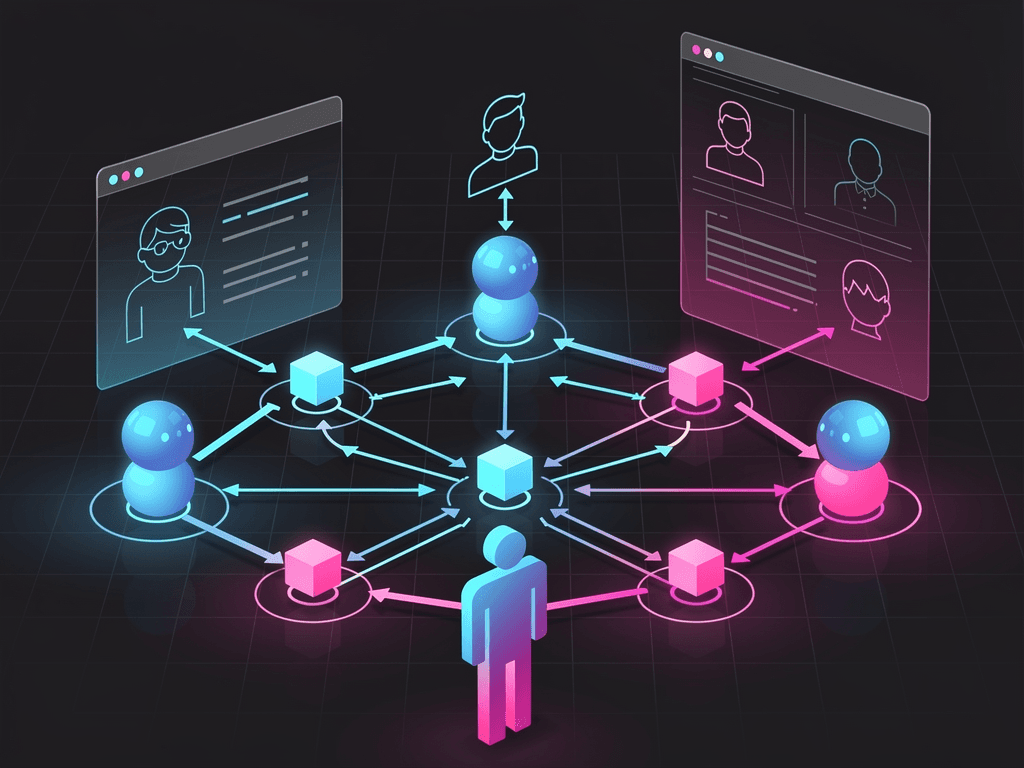
Building a One-Person Consulting Firm with an AI Agent Team
In 2024, I could only serve one consulting client at a time. Until Client A's project was delivered, Client B had to wait in line. My monthly income topped out around $12K — the bottleneck was my own time.
By early 2026, I'm simultaneously serving 4 retainer clients plus 1-2 project-based clients on the side. Monthly revenue sits in the $18K-$22K range. My working hours haven't changed — still roughly 6-8 hours a day.
The difference: in 2024, I did everything. In 2026, I handle decisions and client relationships while 6 AI Agents handle execution.
This article lays my one-person consulting firm's architecture wide open: which Agents do what, what they cost, what they bring in, and the pitfalls I hit along the way.
Architecture Overview: What Each of the 6 Agents Does
Agent 1: Research Agent
Responsibilities: Before each new client project kicks off, the Research Agent gathers industry information, competitive data, and technical solution research.
Implementation: Python script + Claude API + WebSearch. Input is a research outline (I write 5-10 key questions), output is a structured research report.
Impact: A thorough industry research report used to take me 6-8 hours. Now the Agent produces a first draft in 45 minutes, I spend 1 hour reviewing and supplementing — under 2 hours total.
Monthly cost: ~$15-25 in API fees, depending on that month's project volume.
Agent 2: Report Agent
Responsibilities: Generates weekly performance reports for retainer clients. Automatically pulls data, runs analysis, creates charts, and writes an executive summary.
Implementation: Python + Supabase (data source) + Claude API (analysis and writing) + Google Sheets API (output).
Impact: Each of my 4 retainer clients gets a weekly report. Each one used to take 1-1.5 hours — that's 5-6 hours for all four. Now the Agent generates them automatically; I spend 10 minutes per report confirming key data accuracy — 40 minutes total for all four.
Monthly cost: ~$20 in API fees, $25 for Supabase.
Agent 3: Email Agent
Responsibilities: Drafts client emails, sends follow-up reminders, and organizes meeting notes.
Implementation: n8n workflow + Claude API. After a meeting ends, I feed in the recording. The Agent produces meeting minutes + action items + follow-up email drafts.
Impact: My daily email time dropped from 1.5 hours to 30 minutes. The Agent drafts, I edit and confirm before sending. I still write important emails myself, but the Agent handles 80%+ of routine follow-ups.
Monthly cost: $5 for self-hosted n8n, ~$12 in API fees.
Agent 4: Proposal Agent
Responsibilities: Generates first drafts of project proposals. Based on the client's industry, pain points, and budget range, it selects the right structure from my proposal template library and fills in customized content.
Implementation: Claude API + a custom proposal template database (15 templates, categorized by industry and project type).
Impact: Writing a proposal used to take 3-4 hours. Now the Agent produces a first draft in 20 minutes, I spend 45 minutes refining — about 1 hour total. More importantly, proposal consistency and professionalism improved because every proposal starts from a proven template.
Monthly cost: ~$8 in API fees (low frequency — 2-4 proposals per month).
Agent 5: Content Agent
Responsibilities: Helps me write LinkedIn posts, Twitter content, and community shares. Based on my articles and project experience, it generates content variants for different platforms.
Implementation: Python + Claude API. I write one long-form piece, and the Content Agent automatically breaks it into 3-5 social media posts, adjusting format and length for each platform.
Impact: I now publish 5-7 LinkedIn posts per week, but my actual writing time is only about 2 hours (mainly writing one long-form piece + reviewing the Agent's post variants). Social content is my primary client acquisition channel — without the Agent, I simply wouldn't have time to maintain this cadence.
Monthly cost: ~$10 in API fees.
Agent 6: Admin Agent
Responsibilities: Calendar management, invoice generation, time tracking, and client renewal reminders.
Implementation: n8n workflow + Google Calendar API + Notion API.
Impact: These administrative tasks used to eat 3-4 hours per week. Now they're almost entirely automated: invoices go out to retainer clients automatically at the start of each month, I get automatic reminders 30 days before renewals, and meeting scheduling automatically checks for conflicts and sends invitations.
Monthly cost: ~$8 combined for n8n + various APIs.
Cost and Revenue: The Full Picture
Monthly Cost Breakdown
| Category | Monthly Cost |
|---|---|
| LLM API calls across 6 Agents | $65-$90 |
| Supabase | $25 |
| Self-hosted n8n (Railway) | $5 |
| Cursor (developing & maintaining Agents) | $20 |
| Claude Pro (personal use) | $20 |
| Other SaaS (Notion, Luma, Buffer, etc.) | $45 |
| Total | $180-$205 |
Monthly Revenue Breakdown
| Source | Monthly Revenue | Notes |
|---|---|---|
| Retainer clients x 4 | $12K-$16K | $3K-$4K/month per client |
| Project-based (average) | $5K-$8K | ~0.5-1 project per month |
| Total | $17K-$24K |
Profit Margin
Average monthly revenue: ~$20K
Average monthly costs (tools + API): ~$190
Gross margin: 99%+
But this number is misleading — because the biggest cost is my time. If I calculate based on 7 hours per day, 22 working days per month:
Time invested: ~154 hours/month
Effective hourly rate: ~$130/hr (including non-billable time)
$130/hr effective rate is lower than most AI consultants' billable rate (market average is $200-$400), but the difference is: my utilization rate approaches 85% (most execution work is handled by Agents), while the typical consultant's utilization rate is only 40-60%.
Weekly Time Allocation
| Activity | Hours/Week | Notes |
|---|---|---|
| Client communication (meetings + email) | 10-12h | The most essential thing I do |
| Strategic thinking and solution design | 6-8h | Decision-making work only I can do |
| Content creation | 3-4h | Long-form writing + reviewing Agent content |
| Reviewing Agent output | 3-4h | Checking reports, emails, proposals |
| Agent maintenance and optimization | 2-3h | Prompt tuning, bug fixes |
| Administration and management | 1-2h | Whatever's left after Agent handling |
| Total | 25-33h |
Notice the two biggest blocks are client communication and solution design — both are purely human work that AI can't replace. My Agents freed up my execution time, allowing me to spend 70%+ of my energy on these two things.
Three Critical Decisions During the Build
Decision 1: Start with What Hurts Most, Not What's Coolest
The first Agent I built wasn't the most technically interesting Research Agent — it was the Report Agent. Writing weekly reports for 4 clients was my biggest time sink: repetitive, fixed-format, but absolutely non-negotiable.
Automate the most painful task first; it immediately frees up time for everything else. The "nice to have" Agents can wait.
Decision 2: Every Agent Output Must Go Through Me
All my Agents operate in the "yellow zone" — the Agent generates, I confirm before anything goes out. Not a single Agent outputs directly to clients without my review.
This means spending an extra 1-2 hours daily reviewing Agent output, but it also means all external-facing content stays under my quality control. As a one-person firm, your reputation is everything. One sloppy email, one report with bad data — the cost could be losing a $4K/month retainer client.
Decision 3: Python Scripts Over No-Code Platforms
Many people recommend Zapier, Make, and similar no-code platforms for automation. I chose Python scripts + n8n (self-hosted) for two reasons:
First, cost. Zapier's Pro plan is $49.99/month with limited automation steps. Self-hosted n8n is $5/month with no step limits.
Second, control. When Agent behavior needs fine-tuning, modifying Python code is far more precise than dragging and dropping in a no-code platform. Especially for prompt engineering — I frequently need to adjust report wording based on client feedback, and in code, that's a one-line change.
The trade-off is that it requires some programming ability. But as an AI consultant, if you can't write code at all, both your credibility and your capabilities take a noticeable hit.
Lessons from the Trenches
Pitfall 1: Inconsistent Agent Output
When the Report Agent first went live, the same data would produce reports with varying structure and wording each time. Clients who were used to last week's format would see this week's version change and ask, "Did you bring in someone new?"
Solution: I turned the report's fixed elements (headings, section structure, stock phrases) into templates, letting the Agent only fill in the variable parts. Consistency jumped from 70% to 95%+.
Pitfall 2: Clients Figuring Out You're Using AI
Once, a client said in a meeting, "That report was written by AI, wasn't it? A few sentences didn't sound like you."
I chose honesty: "The analysis and first draft are AI-assisted. The core conclusions and recommendations are mine. This lets me spend more time designing solutions for you instead of formatting and pulling data."
The client's reaction surprised me — he said, "That's great, as long as the conclusions are yours."
But this experience taught me two things: first, Agent output needs deeper human editing, especially in key analytical sections; second, proactively being transparent about your workflow at the right moment is better than having clients discover it on their own.
Pitfall 3: Scaling Too Fast
In late 2025, I tried serving 6 retainer clients simultaneously. In theory, the Agents could handle the execution work. What I underestimated was client communication time — 6 clients meant an extra 6-8 hours of meetings per week. My total work time ballooned to 10 hours per day, and quality started slipping.
I scaled back to 4 retainers and raised my rates by 25%. Total revenue stayed about the same, but the workload dropped significantly.
The lesson: The bottleneck of a one-person business is always the founder's attention, not the Agents' capacity.
For Those Ready to Start
If you're currently doing traditional consulting and want to build an Agent team to expand your capacity, here's the path I'd recommend:
Month 1: Pick the repetitive task you spend the most time on each week and build one Agent to automate it. It doesn't need to be perfect — cutting that task's time by 50% is enough.
Month 2: Use the time you've saved to take on more clients or create content for lead generation. Simultaneously refine your first Agent.
Month 3: Build a second Agent, again targeting a specific repetitive task for automation.
After three months: You should have 2-3 Agents running reliably, saving you 10-15 hours per week. Use that time to take on more clients, raise your rates, or build your own product.
Don't try to build 6 Agents from the start. Build one, get it running smoothly, then add more. Each Agent needs a 2-3 week break-in period after launch — tuning prompts, fixing bugs, handling edge cases.
Three Core Takeaways
First, turning a one-person business into an Agent-powered operation isn't a tech project — it's a business decision. First figure out where your time bottlenecks are, which tasks are pure execution, and which are core decisions. Then only automate the former.
Second, never hand over control. All external-facing output must pass through human review. A one-person business has no "team" to catch your mistakes. Every email and every report your Agent sends out directly represents your personal brand.
Third, the bottleneck is attention, not capacity. Agents can work 24 hours a day, but you only have so many hours for decision-making and maintaining client relationships. Your ceiling for scaling is determined by your bandwidth for attention, not by the number of Agents you deploy.
What's the one repetitive task in your consulting work that you'd most want to automate?