
Field Note / c-20
Integrating an AI Agent with Slack, Email, and CRM
I built an Agent for a B2B SaaS company that connects to Slack, Gmail, and HubSpot CRM simultaneously. A customer asks...
Integrating an AI Agent with Slack, Email, and CRM
Opening
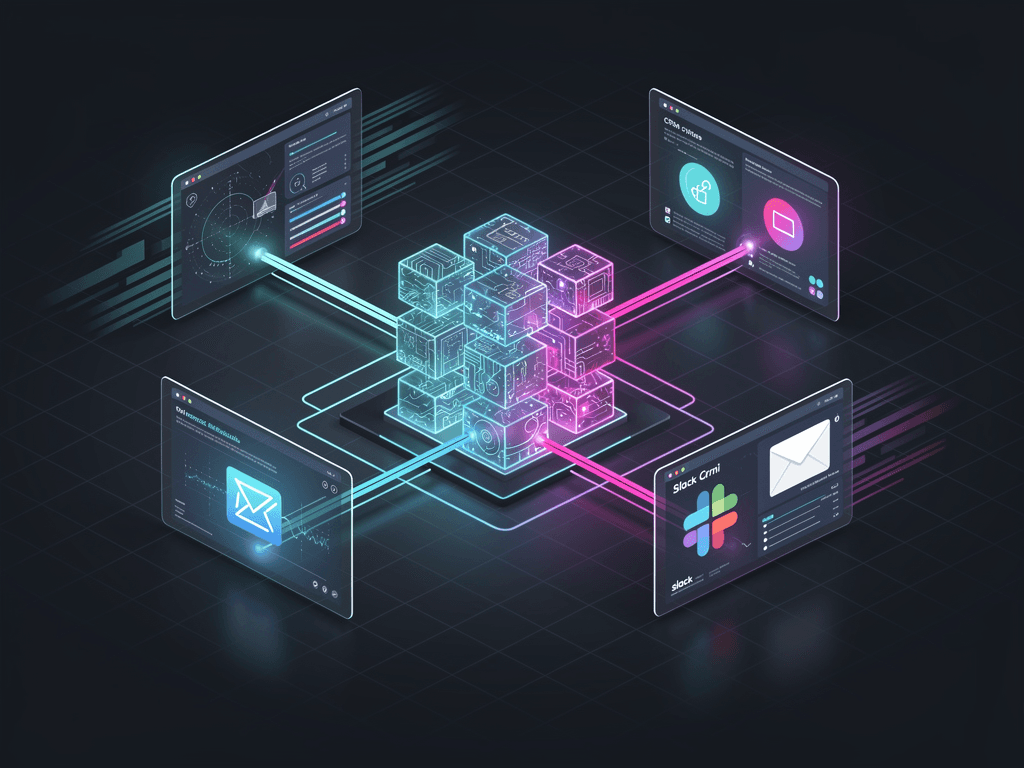
I built an Agent for a B2B SaaS company that connects to Slack, Gmail, and HubSpot CRM simultaneously. A customer asks a product question in Slack, the Agent automatically pulls customer data from the CRM, searches the knowledge base for an answer, sends the reply back to Slack, and logs the conversation in the CRM. This system has been running for 4 months, handling over 12,000 interactions with an average response time of 3.2 seconds. This article lays out the integration approach for all three channels, the Webhook architecture, and every pitfall we hit along the way.
Problem Background
Most Agent tutorials assume the user interacts with the Agent through a web interface or API. But in enterprise settings, users (whether customers or internal employees) are already using Slack, email, and CRM every day. Asking them to switch to a new interface is unrealistic.
The Agent must go where the users are. That means you need to:
- Listen for messages across multiple channels
- Unify the processing logic (Agent behavior stays consistent regardless of channel)
- Send replies back to the originating channel
- Log all interactions in the CRM
The core architectural challenge: the channel adaptation layer must be thin enough, and the business logic must be centralized enough.
Core Architecture
Layered Design
   Slack         Gmail        HubSpot
     │             │             │
     ▼             ▼             ▼
┌──────────┐ ┌──────────┐ ┌──────────┐
│ Slack    │ │ Email    │ │ CRM      │
│ Adapter  │ │ Adapter  │ │ Adapter  │
└────┬─────┘ └────┬─────┘ └────┬─────┘
     │             │             │
     └──────┬──────┘──────┬──────┘
            │             │
     ┌──────▼─────────────▼──────┐
     │     Message Router        │
     │  (Unified format + routing)│
     └────────────┬──────────────┘
                  │
     ┌────────────▼──────────────┐
     │      Agent Core           │
     │  (LLM + Tools + RAG)      │
     └────────────┬──────────────┘
                  │
     ┌────────────▼──────────────┐
     │    Response Dispatcher    │
     │  (Reply to source channel) │
     └───────────────────────────┘
Key design principles:
- Channel Adapters only do protocol conversion: Slack's message format, Email's MIME format, CRM's API format — all converted to a unified internal message format in the Adapter layer
- Agent Core is channel-agnostic: It only processes standardized input and produces standardized output
- Response Dispatcher handles write-back: Routes the reply back in the appropriate format based on the source channel
Implementation Details
Step 1: Unified Message Format
All channel messages get converted to this format:
from dataclasses import dataclass, field
from datetime import datetime
from enum import Enum

class Channel(Enum):
    SLACK = "slack"
    EMAIL = "email"
    CRM = "crm"

@dataclass
class UnifiedMessage:
    """Unified message format"""
    message_id: str              # Unique message ID
    channel: Channel             # Source channel
    channel_id: str              # Channel-specific identifier (Slack channel ID, email thread ID)
    sender_id: str               # Sender ID
    sender_name: str             # Sender name
    sender_email: str            # Sender email (for CRM correlation)
    content: str                 # Message body (plain text)
    attachments: list[str] = field(default_factory=list)  # Attachment URLs
    timestamp: datetime = field(default_factory=datetime.now)
    metadata: dict = field(default_factory=dict)  # Channel-specific metadata

@dataclass
class AgentResponse:
    """Agent response format"""
    content: str
    source_message_id: str
    channel: Channel
    channel_id: str
    metadata: dict = field(default_factory=dict)
Step 2: Slack Integration
Slack integration uses the Bolt framework + Socket Mode (no public URL required):
from slack_bolt import App
from slack_bolt.adapter.socket_mode import SocketModeHandler
import os

# Initialize Slack App
slack_app = App(token=os.environ["SLACK_BOT_TOKEN"])

class SlackAdapter:
    """Slack channel adapter"""

    def __init__(self, agent_core, crm_adapter):
        self.agent = agent_core
        self.crm = crm_adapter

    def register_handlers(self, app: App):
        """Register Slack event handlers"""

        # Handle @mention messages
        @app.event("app_mention")
        def handle_mention(event, say):
            self._process_message(event, say)

        # Handle DM messages
        @app.event("message")
        def handle_dm(event, say):
            # Only process DMs, ignore channel messages (use @mention for those)
            if event.get("channel_type") == "im":
                self._process_message(event, say)

    def _process_message(self, event: dict, say):
        """Process a Slack message"""
        # Ignore the bot's own messages
        if event.get("bot_id"):
            return

        # Convert to unified format
        message = UnifiedMessage(
            message_id=event["ts"],
            channel=Channel.SLACK,
            channel_id=event["channel"],
            sender_id=event["user"],
            sender_name=self._get_user_name(event["user"]),
            sender_email=self._get_user_email(event["user"]),
            content=self._clean_mention(event["text"]),
            timestamp=datetime.fromtimestamp(float(event["ts"]))
        )

        # Send immediate "thinking" feedback
        say("Processing your question, please hold on...", thread_ts=event["ts"])

        # Call Agent Core
        response = self.agent.handle(message)

        # Reply in the original message's thread
        say(
            text=response.content,
            thread_ts=event["ts"]
        )

        # Log this interaction in CRM
        self.crm.log_interaction(message, response)

    def _clean_mention(self, text: str) -> str:
        """Strip @mention markup, keeping only the question content"""
        import re
        return re.sub(r"<@[A-Z0-9]+>", "", text).strip()

    def _get_user_email(self, user_id: str) -> str:
        """Get user email from Slack API (for CRM correlation)"""
        from slack_sdk import WebClient
        client = WebClient(token=os.environ["SLACK_BOT_TOKEN"])
        result = client.users_info(user=user_id)
        return result["user"]["profile"].get("email", "")

    def _get_user_name(self, user_id: str) -> str:
        from slack_sdk import WebClient
        client = WebClient(token=os.environ["SLACK_BOT_TOKEN"])
        result = client.users_info(user=user_id)
        return result["user"]["real_name"]

# Startup
adapter = SlackAdapter(agent_core, crm_adapter)
adapter.register_handlers(slack_app)
handler = SocketModeHandler(slack_app, os.environ["SLACK_APP_TOKEN"])
handler.start()
Slack integration pitfalls:
- Slack requires a response within 3 seconds, otherwise it retries the event (causing duplicate processing). Solution: Reply immediately with "Processing...", then handle the Agent logic asynchronously
- Slack's message format uses mrkdwn (not Markdown) — link and bold syntax differ
Step 3: Email Integration
Email integration uses Gmail API + Pub/Sub for real-time listening:
import base64
from email.mime.text import MIMEText
from google.oauth2.credentials import Credentials
from googleapiclient.discovery import build

class EmailAdapter:
    """Email channel adapter"""

    def __init__(self, agent_core, crm_adapter):
        self.agent = agent_core
        self.crm = crm_adapter
        self.service = self._init_gmail_service()

    def _init_gmail_service(self):
        """Initialize Gmail API client"""
        creds = Credentials.from_authorized_user_file("credentials/gmail_token.json")
        return build("gmail", "v1", credentials=creds)

    async def process_new_email(self, message_id: str):
        """Process a newly received email"""
        # Get the email content
        msg = self.service.users().messages().get(
            userId="me", id=message_id, format="full"
        ).execute()

        headers = {h["name"]: h["value"] for h in msg["payload"]["headers"]}

        # Extract plain text content
        body = self._extract_body(msg["payload"])

        # Convert to unified format
        message = UnifiedMessage(
            message_id=message_id,
            channel=Channel.EMAIL,
            channel_id=headers.get("Message-ID", message_id),
            sender_id=headers.get("From", ""),
            sender_name=self._extract_name(headers.get("From", "")),
            sender_email=self._extract_email(headers.get("From", "")),
            content=body,
            metadata={
                "subject": headers.get("Subject", ""),
                "thread_id": msg.get("threadId", ""),
                "in_reply_to": headers.get("In-Reply-To", "")
            }
        )

        # Call the Agent
        response = self.agent.handle(message)

        # Send reply email
        self._send_reply(message, response)

        # Log to CRM
        self.crm.log_interaction(message, response)

    def _send_reply(self, original: UnifiedMessage, response: AgentResponse):
        """Reply to an email"""
        reply = MIMEText(response.content, "plain", "utf-8")
        reply["To"] = original.sender_email
        reply["Subject"] = f"Re: {original.metadata.get('subject', '')}"
        reply["In-Reply-To"] = original.metadata.get("thread_id", "")
        reply["References"] = original.metadata.get("thread_id", "")

        raw = base64.urlsafe_b64encode(reply.as_bytes()).decode()
        self.service.users().messages().send(
            userId="me",
            body={
                "raw": raw,
                "threadId": original.metadata.get("thread_id", "")
            }
        ).execute()

    def _extract_body(self, payload: dict) -> str:
        """Extract plain text from the email payload"""
        if payload.get("mimeType") == "text/plain":
            data = payload["body"].get("data", "")
            return base64.urlsafe_b64decode(data).decode("utf-8")

        # Multi-part email — recursively search for text/plain
        for part in payload.get("parts", []):
            result = self._extract_body(part)
            if result:
                return result
        return ""

    @staticmethod
    def _extract_email(from_header: str) -> str:
        import re
        match = re.search(r"<(.+?)>", from_header)
        return match.group(1) if match else from_header

    @staticmethod
    def _extract_name(from_header: str) -> str:
        import re
        match = re.search(r"^(.+?)\s*<", from_header)
        return match.group(1).strip('" ') if match else ""
Step 4: CRM Integration (HubSpot)
CRM integration works in two directions: reading customer data from the CRM (to give the Agent context), and writing interaction records back to the CRM.
import httpx

class HubSpotAdapter:
    """HubSpot CRM adapter"""

    def __init__(self, api_key: str):
        self.api_key = api_key
        self.base_url = "https://api.hubapi.com"

    async def get_customer_context(self, email: str) -> dict | None:
        """Get customer context from CRM (for the Agent to use)"""
        async with httpx.AsyncClient() as client:
            # Search for contact by email
            resp = await client.post(
                f"{self.base_url}/crm/v3/objects/contacts/search",
                headers={"Authorization": f"Bearer {self.api_key}"},
                json={
                    "filterGroups": [{
                        "filters": [{
                            "propertyName": "email",
                            "operator": "EQ",
                            "value": email
                        }]
                    }],
                    "properties": [
                        "firstname", "lastname", "company",
                        "lifecyclestage", "hs_lead_status"
                    ]
                }
            )

            if resp.status_code != 200:
                return None

            results = resp.json().get("results", [])
            if not results:
                return None

            contact = results[0]["properties"]
            return {
                "name": f"{contact.get('firstname', '')} {contact.get('lastname', '')}",
                "company": contact.get("company", ""),
                "stage": contact.get("lifecyclestage", ""),
                "status": contact.get("hs_lead_status", "")
            }

    async def log_interaction(
        self, message: UnifiedMessage, response: AgentResponse
    ):
        """Log an interaction in the CRM"""
        async with httpx.AsyncClient() as client:
            # Find or create contact
            contact_id = await self._find_or_create_contact(
                client, message.sender_email, message.sender_name
            )

            if not contact_id:
                return

            # Create a note
            await client.post(
                f"{self.base_url}/crm/v3/objects/notes",
                headers={"Authorization": f"Bearer {self.api_key}"},
                json={
                    "properties": {
                        "hs_note_body": (
                            f"[AI Agent - {message.channel.value}]\n\n"
                            f"Customer question: {message.content[:500]}\n\n"
                            f"Agent reply: {response.content[:500]}"
                        ),
                        "hs_timestamp": message.timestamp.isoformat()
                    },
                    "associations": [{
                        "to": {"id": contact_id},
                        "types": [{
                            "associationCategory": "HUBSPOT_DEFINED",
                            "associationTypeId": 202  # note-to-contact
                        }]
                    }]
                }
            )

    async def _find_or_create_contact(
        self, client: httpx.AsyncClient, email: str, name: str
    ) -> str | None:
        """Find a contact; create one if not found"""
        # Search
        resp = await client.post(
            f"{self.base_url}/crm/v3/objects/contacts/search",
            headers={"Authorization": f"Bearer {self.api_key}"},
            json={
                "filterGroups": [{
                    "filters": [{
                        "propertyName": "email",
                        "operator": "EQ",
                        "value": email
                    }]
                }]
            }
        )

        results = resp.json().get("results", [])
        if results:
            return results[0]["id"]

        # Create
        parts = name.split(" ", 1)
        resp = await client.post(
            f"{self.base_url}/crm/v3/objects/contacts",
            headers={"Authorization": f"Bearer {self.api_key}"},
            json={
                "properties": {
                    "email": email,
                    "firstname": parts[0] if parts else "",
                    "lastname": parts[1] if len(parts) > 1 else ""
                }
            }
        )

        if resp.status_code == 201:
            return resp.json()["id"]
        return None
Step 5: Message Router
class MessageRouter:
    """Unified message router"""

    def __init__(self, agent_core, crm: HubSpotAdapter):
        self.agent = agent_core
        self.crm = crm

    async def route(self, message: UnifiedMessage) -> AgentResponse:
        """Route a message to the Agent, enriched with CRM context"""

        # Get customer context from CRM
        customer_context = await self.crm.get_customer_context(
            message.sender_email
        )

        # Inject customer context for the Agent
        enriched_content = message.content
        if customer_context:
            enriched_content = (
                f"[Customer info: {customer_context['name']}, "
                f"Company: {customer_context['company']}, "
                f"Stage: {customer_context['stage']}]\n\n"
                f"Customer question: {message.content}"
            )

        # Call the Agent
        agent_reply = await self.agent.handle(enriched_content)

        return AgentResponse(
            content=agent_reply,
            source_message_id=message.message_id,
            channel=message.channel,
            channel_id=message.channel_id
        )
Lessons from the Field
Production Data (4 Months in Production)
| Metric | Slack | CRM | |
|---|---|---|---|
| Monthly interactions | 2,100 | 850 | 200 (proactively triggered) |
| Avg response time | 3.2s | 45s (incl. email sending) | 2.8s |
| Auto-resolution rate | 74% | 61% | 82% |
| Monthly API cost | $180 | $95 | $35 |
Email's auto-resolution rate is lower than Slack's, mainly because email content tends to be longer, more formal, and carries more complex context.
Pitfalls We Hit
Pitfall 1: Slack's 3-second timeout is a hard limit. Slack's Events API requires you to return a 200 OK within 3 seconds; otherwise it resends the event. If Agent processing takes 5 seconds, you get duplicate events. Solution: Return 200 immediately, push the message into a queue for async processing. Use the event timestamp for deduplication.
Pitfall 2: Email thread context management. Gmail's thread ID can link emails on the same subject. But if a customer changes the subject and continues chatting, it becomes a new thread and the Agent loses prior context. Solution: Maintain conversation history in the CRM by customer email, rather than relying on email threads.
Pitfall 3: CRM write rate limits. HubSpot API's free tier limits you to 100 requests per 10 seconds. During peak hours, the Agent can exceed this. Solution: Queue CRM writes for async processing with a rate limiter. Delayed interaction logging doesn't affect user experience.
Pitfall 4: Cross-channel customer identification. The same customer might use a company email on Slack and a personal email for email. The Agent doesn't know it's the same person. Solution: Merge customers in the CRM using a combined match on Slack user ID + email address.
Conclusion
Three core takeaways:
-
Channel Adapters must be thin — All the protocol details of Slack, email, and CRM should be handled in the Adapter layer. Agent Core only sees uniformly formatted messages. This way, adding a new channel (say, WeChat or WhatsApp) only requires writing a new Adapter — no changes to Agent logic.
-
CRM integration is a value multiplier — The Agent reads CRM data to personalize responses ("Hi Zhang, your Enterprise subscription expires next month"), and writes CRM data to maintain a complete record. An Agent without CRM integration is just a glorified FAQ bot.
-
Async processing is a must for multi-channel Agents — Slack has a 3-second timeout, email processing can take 10 seconds, CRM writes have rate limits. All time-consuming operations must be async. A message queue (Redis Queue or Celery) is an essential component.
If you're looking to integrate an Agent with business tools, start with Slack (simplest, fastest feedback loop), get it working, then add email and CRM. The core Agent logic is identical across all three channels — only the Adapter layer differs.
Which channels have you integrated your Agent with? What issues did you run into? I'd love to hear about it.